
1X2 Premier League Showcase — Quick Start Guide
Live demo: https://witty-mud-077daf803.3.azurestaticapps.net
This guide gets you from zero to placing your first bet in under two minutes.
1. Open the demo
Visit the link above. You'll land on the Upcoming tab — a live list of real English Premier League fixtures, discovered automatically from football-data.org and instantly tradable — every fixture is auto-seeded with deep liquidity (10,000 quantity, randomized odds) on all three outcomes the moment it's discovered, so there's always something to bet on. No login is needed just to look around.
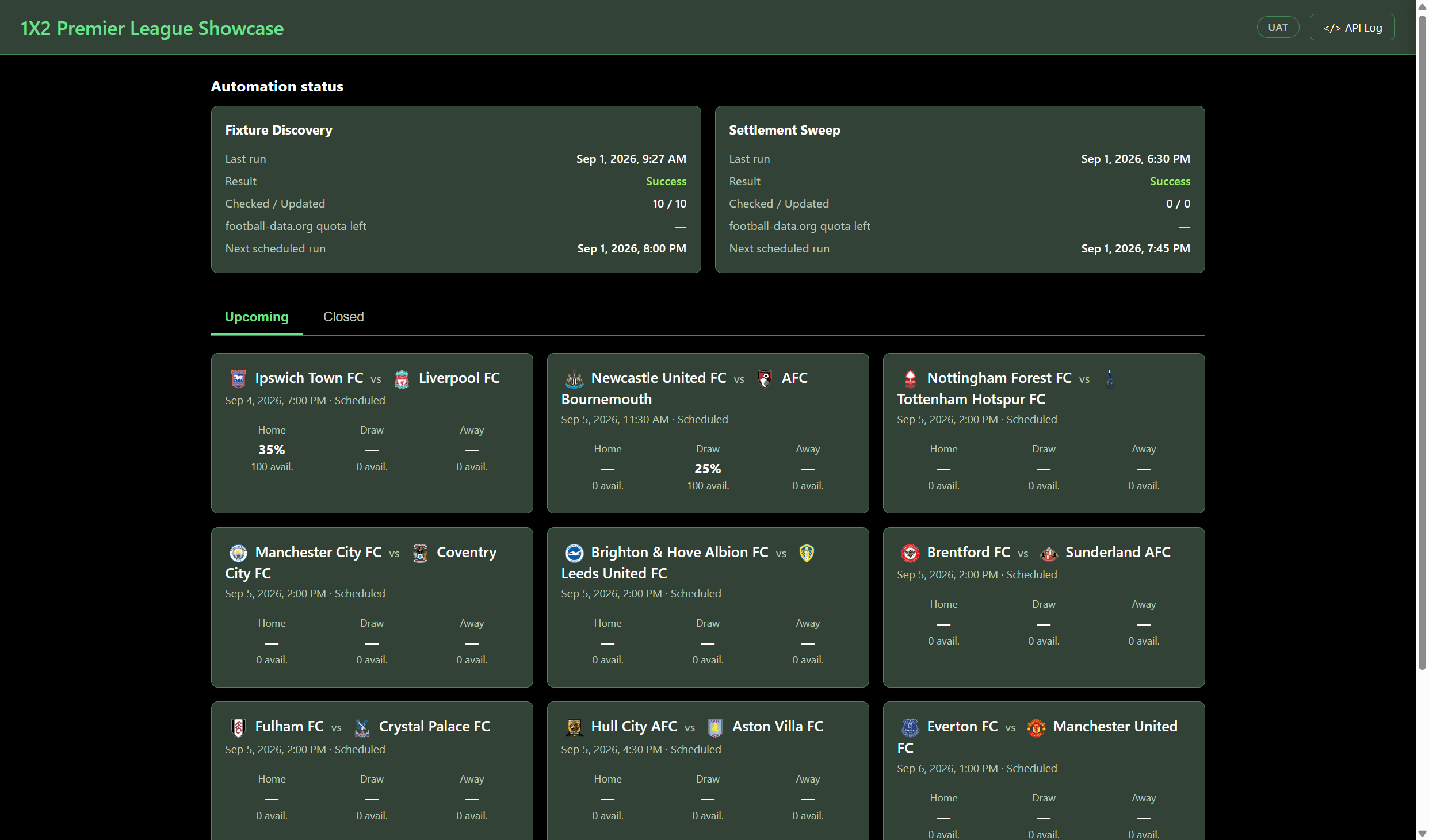
There are two other tabs alongside Upcoming: Expired (matches whose kickoff has passed but haven't been settled yet — waiting on the automated sweep or a manual settle, shown with an "AWAITING SETTLEMENT" badge) and Closed (fully settled matches with the final result and payout stats).
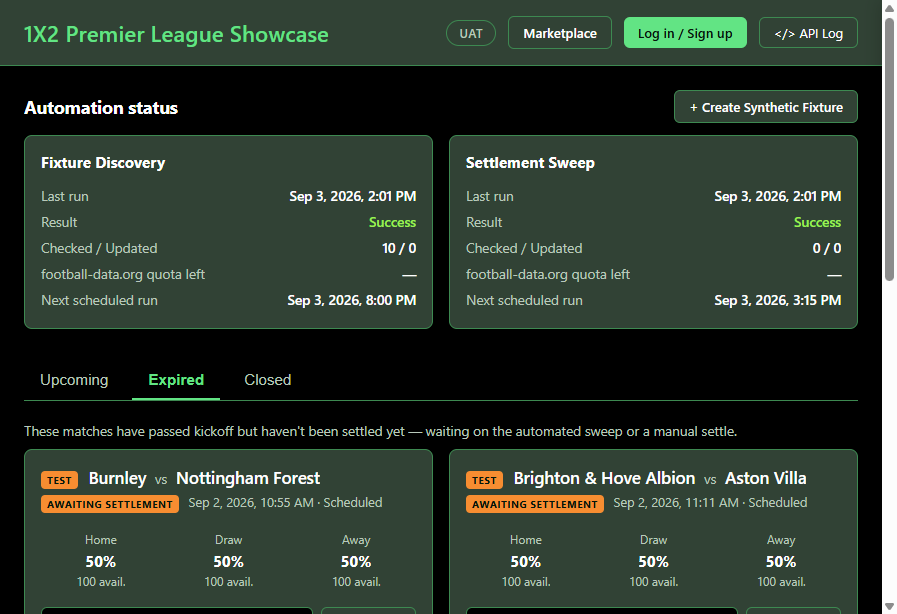
2. Sign up
Click Log in / Sign up in the top-right corner, then switch to the Sign up tab.
You only need three things:
- Display name — how you'll appear in the app (e.g. "Alex Trader")
- Username — your login handle (must be unique)
- Password — must be at least 8 characters and include 3 of: uppercase, lowercase,
digit, symbol (e.g.
Test123test!). The page shows a live green/red hint as you type.
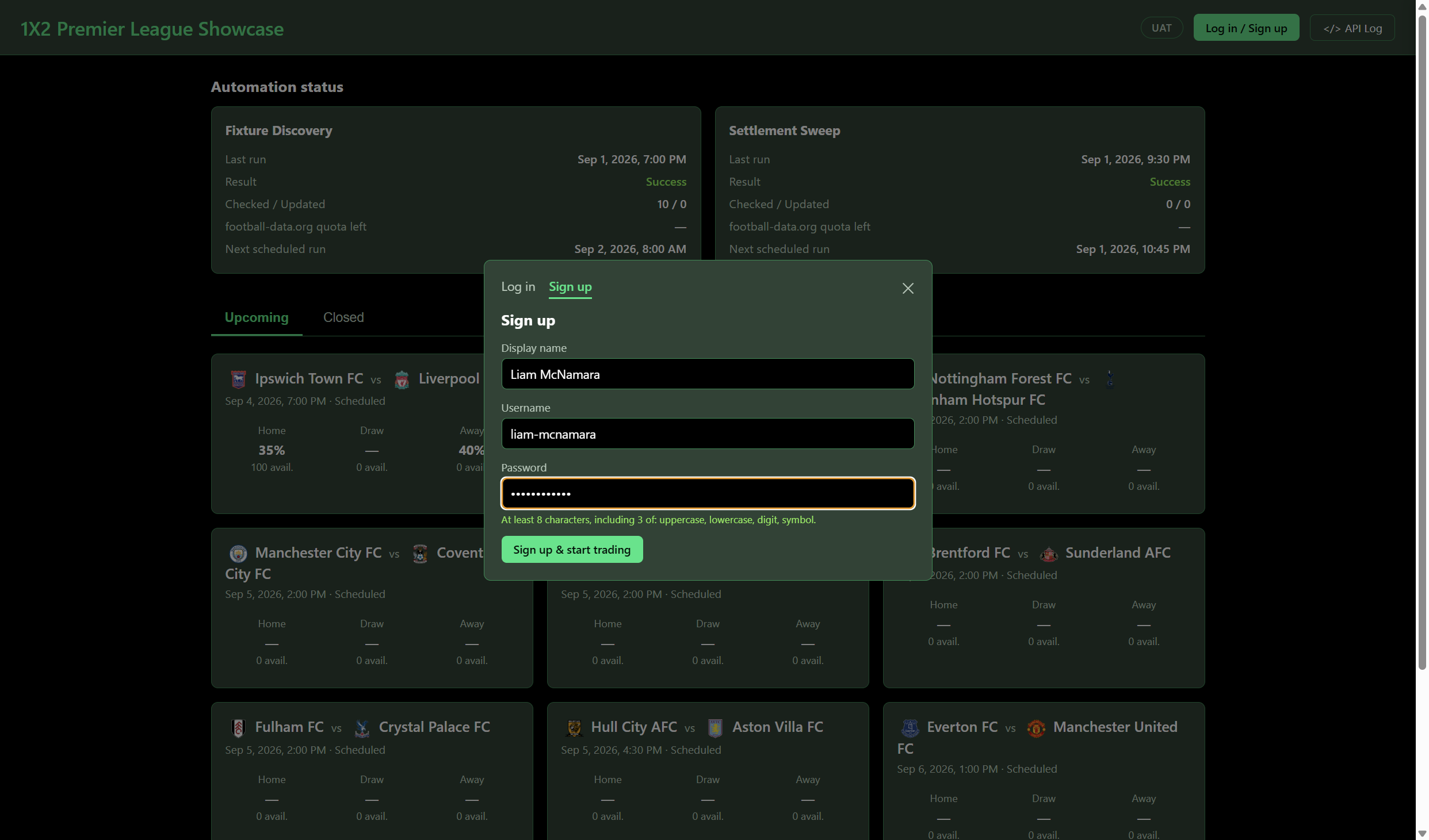
Click Sign up & start trading. This takes ~25-30 seconds — behind the scenes it's creating a real wallet, submitting and approving a KYC pack, and funding your account with demo USD, exactly like a real customer's onboarding. You'll be logged in automatically when it completes.
3. Check your balance
Click My Account in the top-right. You'll see your wallet address and a starting balance of $5,000 in demo USD — ready to trade.
4. Place your first bet
Click on any upcoming match card to open its order book. You'll see the real, live depth for each outcome (Home / Draw / Away):
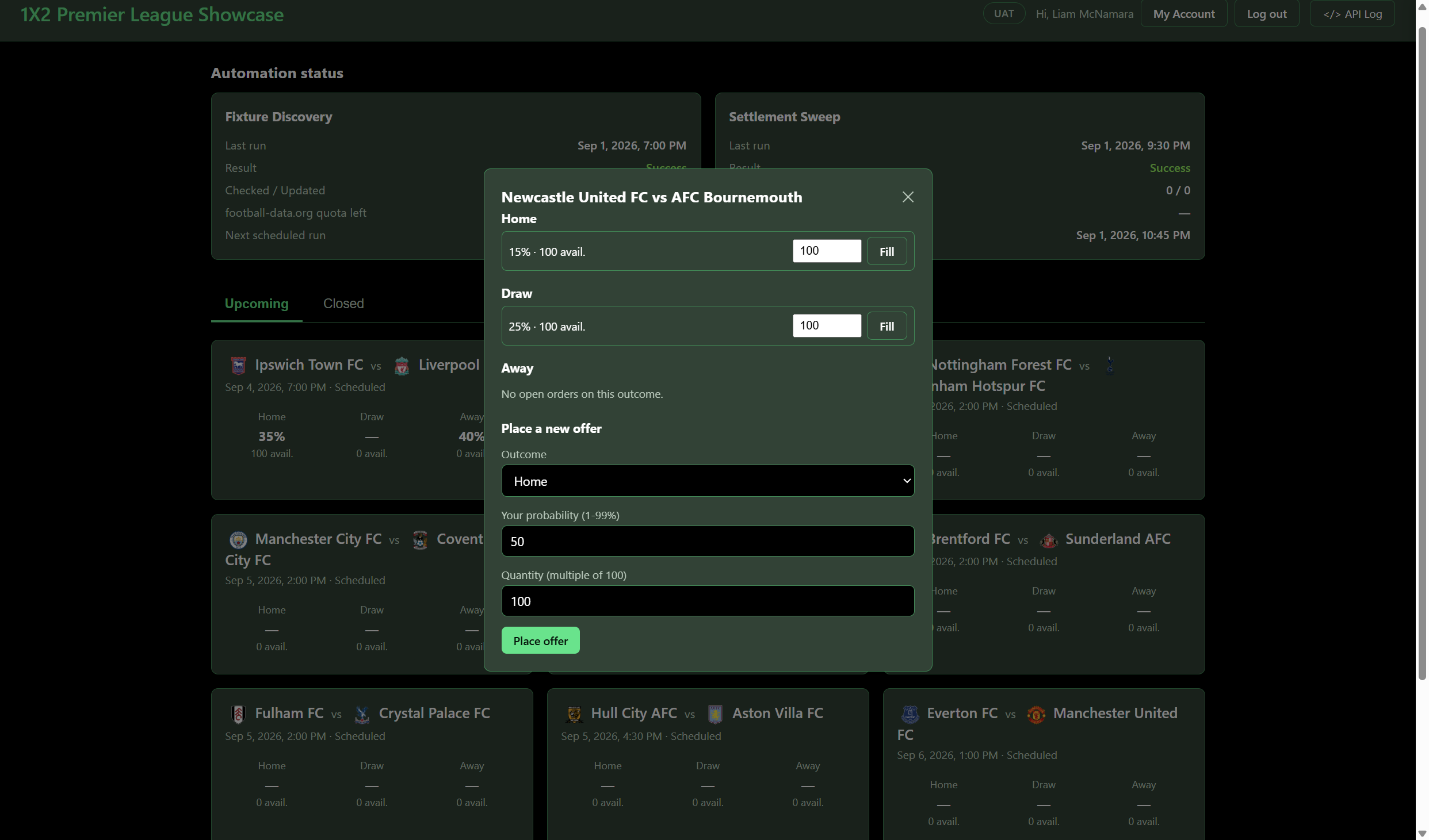
You have two ways to trade:
- Fill an existing order — pick a quantity next to any listed order and click Fill. This makes you a Taker — you've matched an existing offer, so the trade is done immediately. Auto-seeded offers are deep (10,000 quantity), so plenty of takers can fill the same offer before it runs out.
- Place a new offer — under "Place a new offer", choose an outcome, your own probability (1-99%), and a quantity (must be a multiple of 100), then click Place offer. This makes you a Maker — your offer sits in the order book until someone else fills it (in full or in part).
Only one maker offer can ever exist per outcome. Whoever places the first offer on Home, Draw, or Away "claims" that outcome for its whole lifetime — even after it's fully filled or cancelled, no one (including you) can place another offer there. Everyone after the first maker can only fill (take) the existing offer. If an outcome already has an offer, it's greyed out in the "Place a new offer" list so you can't attempt it by mistake — and a fully matched offer in the order book shows a FILLED tag rather than looking empty, since the underlying bet(s) are still live and will pay out at settlement.
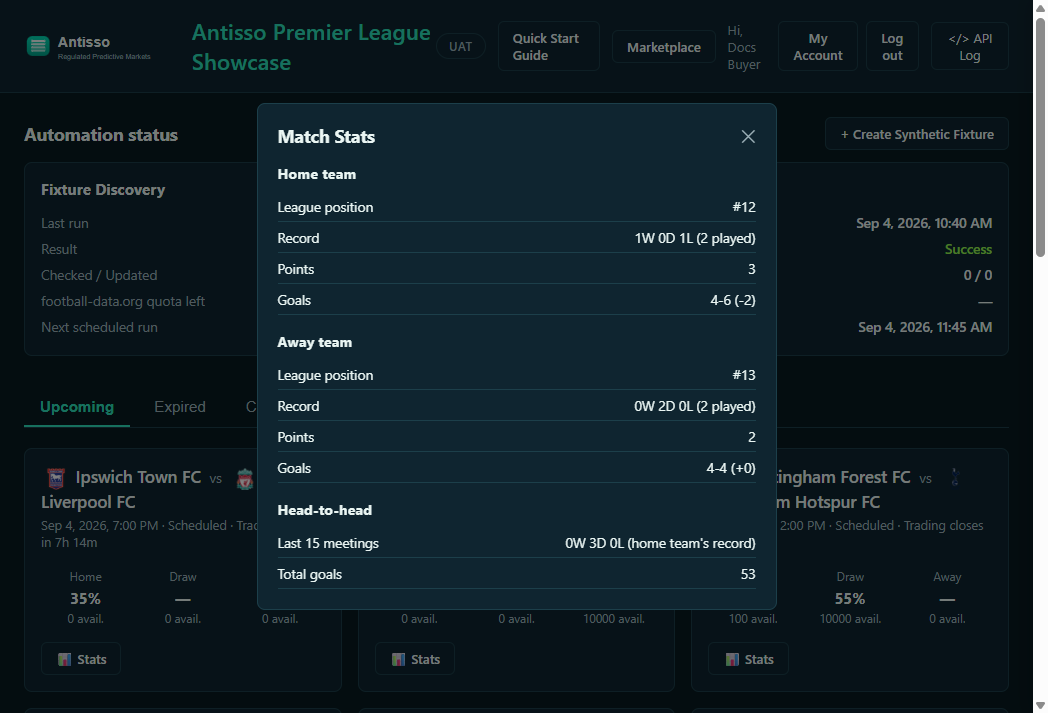
Want some context before you bet? Every real fixture card has a 📊 Stats button showing both teams' current league position, form, and head-to-head record against each other.
5. View your position
Open My Account again. Your new position appears under Open positions.
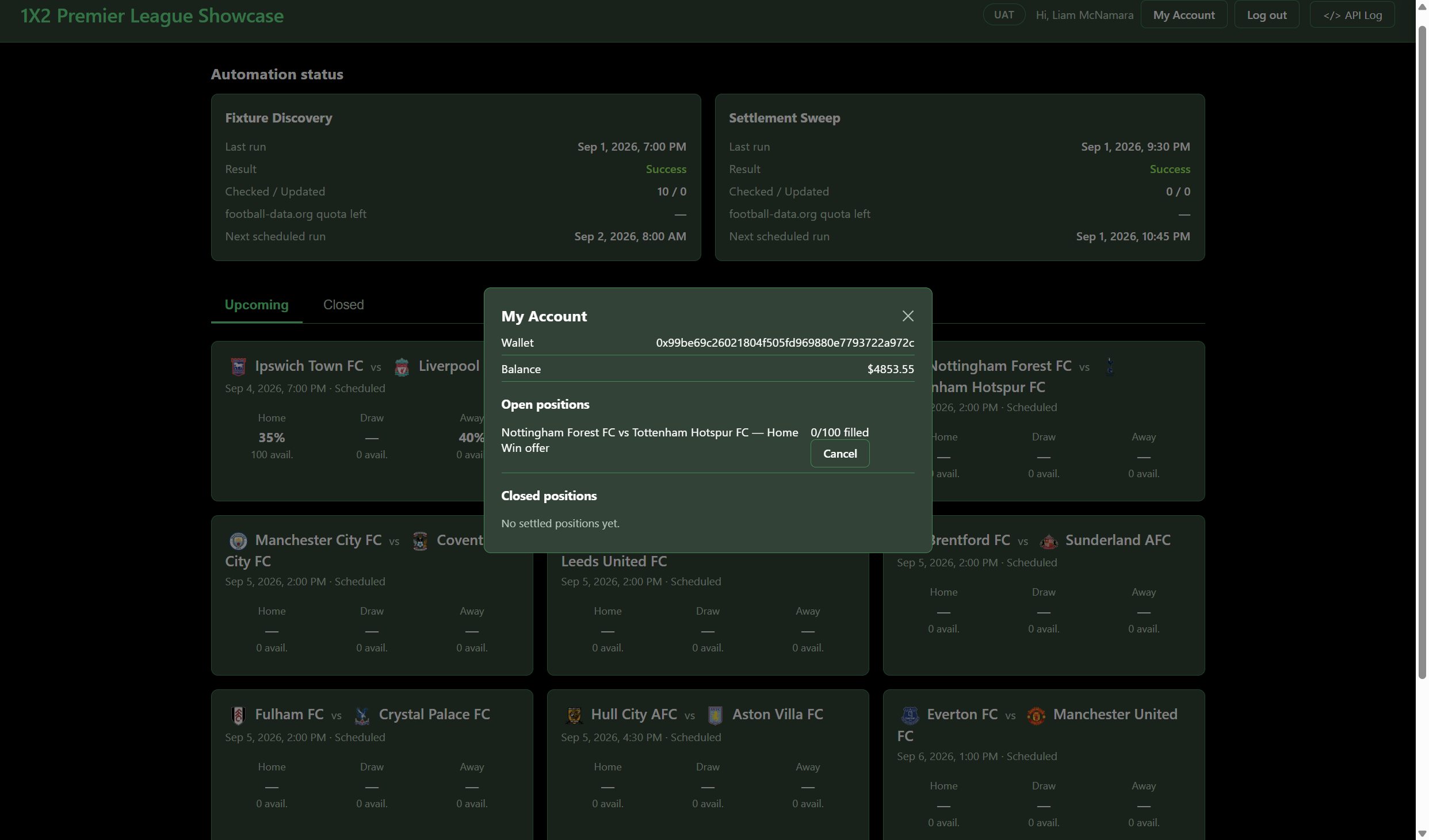
Only Maker offers show a Cancel button (refunds your collateral and fee for the unfilled quantity) — a Taker position is already a matched trade with a counterparty, so there's nothing to cancel; it stays in Open positions until the match settles, then moves to Closed positions with the payout.
6. Sell and buy positions on the secondary market
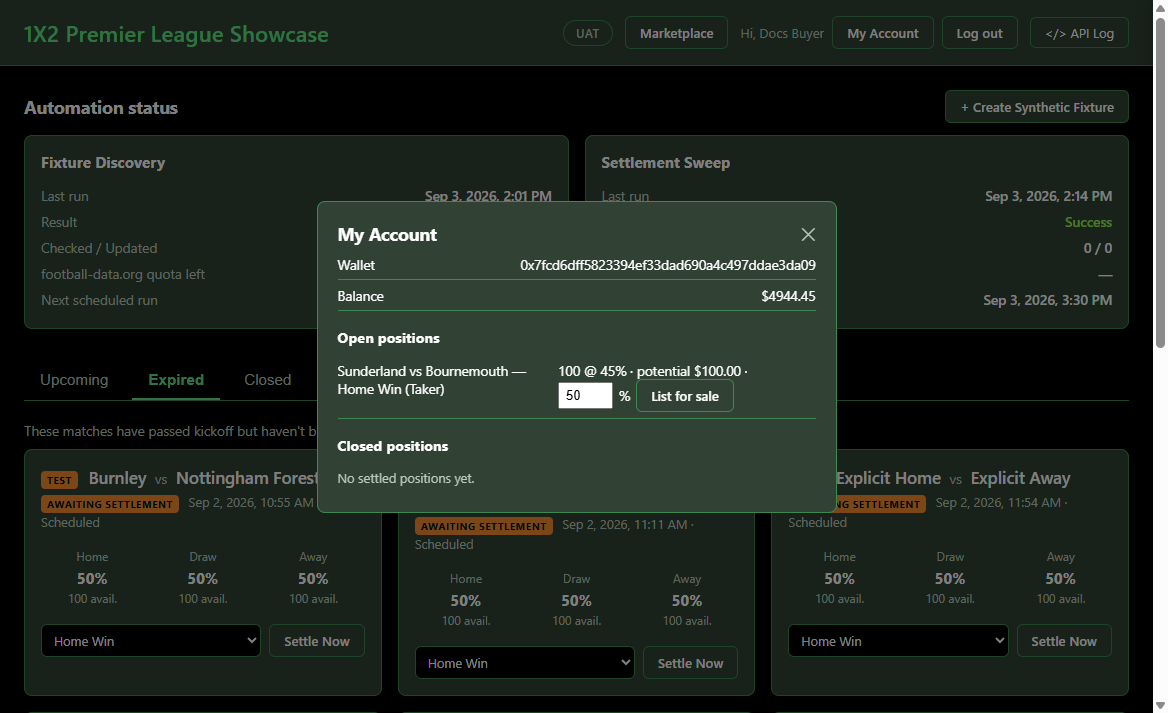
Don't want to wait for a match to settle? Any Taker position you hold can be resold before settlement. Open My Account and next to an open position, enter your asking probability and click List for sale:
Since the payout is fixed at $1/unit, this percentage sets the buyer's effective odds, not a new payout — listing at 49% sells your position for $0.49/unit, so whoever buys it is effectively locking in ~49% odds on that outcome. An info icon (ⓘ) next to the input, and matching notes in the Marketplace and per-match resale listings, explain this at the point of sale/purchase.
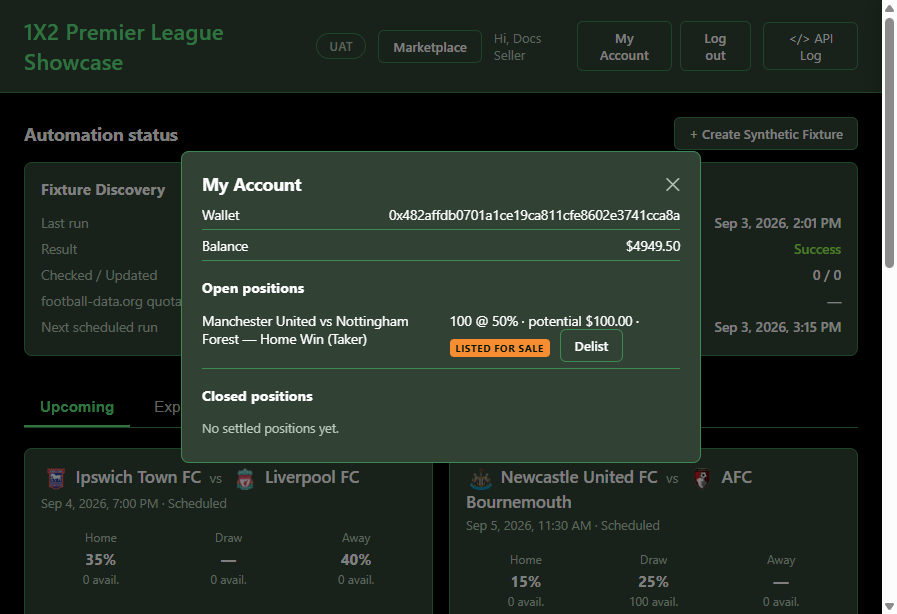
Once listed, the position shows a LISTED FOR SALE badge and a Delist button (to pull it back off the market at any time before it sells). Listed positions show up two places for buyers:
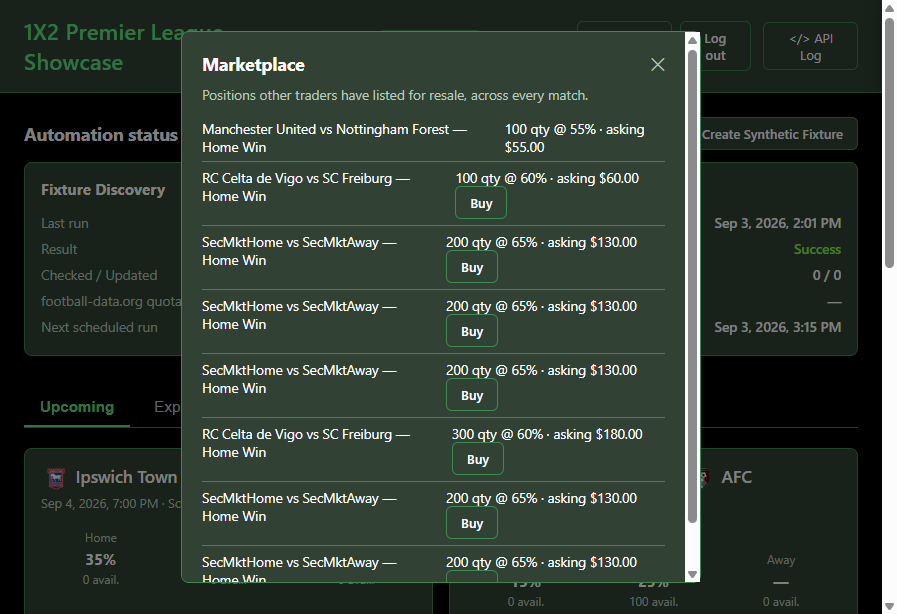
The Marketplace (top-right nav button) — every listed position across every match, with team names, outcome, quantity, and asking price:
A Resale listings section inside that match's own trade modal, alongside the regular order book:
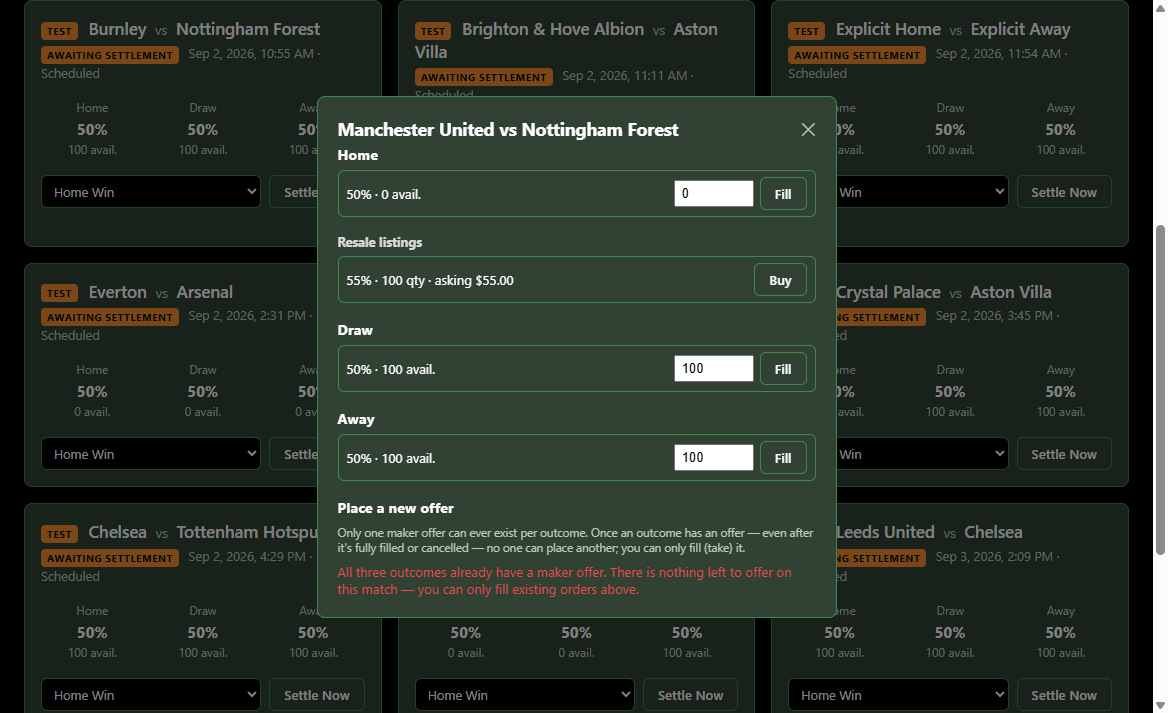
Clicking Buy on someone else's listing (you can't buy your own) completes the purchase for the full listed quantity at the asking price plus a 1% fee — the position instantly appears in your own My Account, exactly like a position you took directly from the primary order book:
7. Don't want to wait for a real fixture? Create a synthetic one
Real Premier League fixtures can be days away, which isn't ideal when you just want to demo or test the full trading loop right now. Click + Create Synthetic Fixture (top-right of the Automation status panel) to spin up a fake match between two real Premier League clubs (picked at random, or type your own two names):
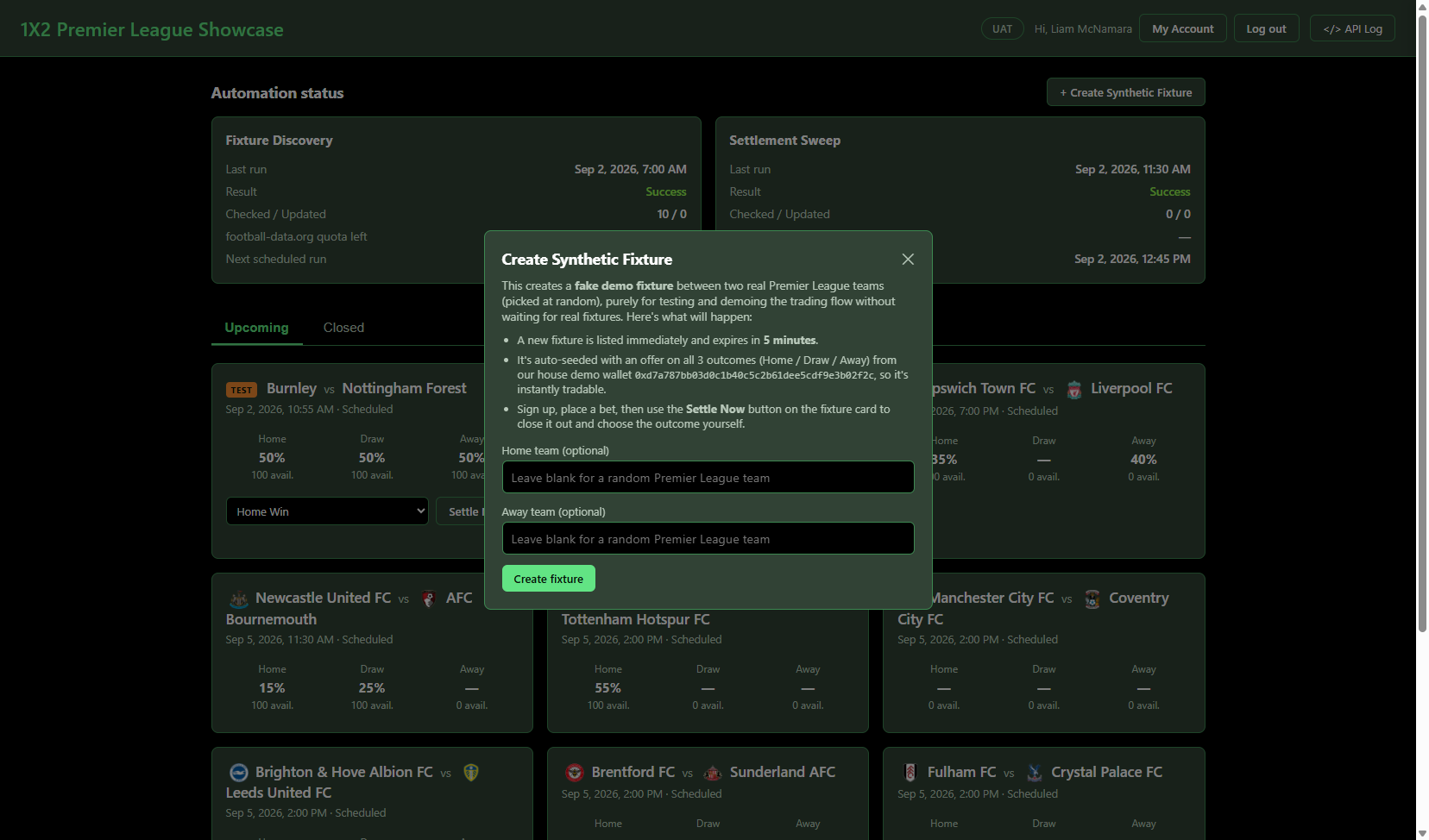
The new fixture appears immediately with an orange TEST badge, auto-seeded with a 50% offer on all three outcomes (10,000 quantity each) from a house demo wallet — so it's instantly tradable, no waiting required. Place a bet on it just like any real match (see step 4).
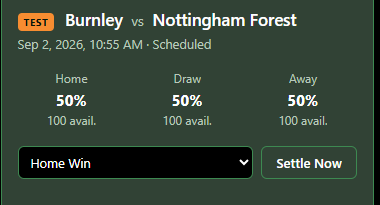
When you're ready to close it out, pick an outcome from the dropdown and click Settle Now. Two things to know:
- The fixture expires 5 minutes after creation — if you click Settle Now before that window passes and a real bet is on it, settlement will fail cleanly with a message telling you to wait a little longer and retry (this mirrors a real, underlying blockchain rule — not a bug).
- Synthetic fixtures are invisible to the automated settlement sweep — they only ever settle when you explicitly click Settle Now.
Tips
- The
</> API Logbutton (top-right) shows every API call the page makes in real time — click any entry to see the full request/response. - The Automation status panel at the top shows when fixtures were last discovered and when the next settlement sweep will run — this all happens automatically, with no manual intervention. Fixture discovery runs twice daily (07:00 and 19:00 UTC); the settlement sweep runs every 15 minutes.
- Everything on this page is running against the UAT environment with real (demo) money flows — nothing here is simulated or mocked.